In a previous article, we described the legal basics of consent mode. However, the topic is crucial not only from a legal but also an operational standpoint. Improperly implemented, consent mode may not only ruin traffic tracking but also significantly affect marketing campaigns, customer care, and other aspects of the e-commerce business model. Therefore, each business should reconsider its implementation and make adjustments accordingly.
Requirements and consent denial scale
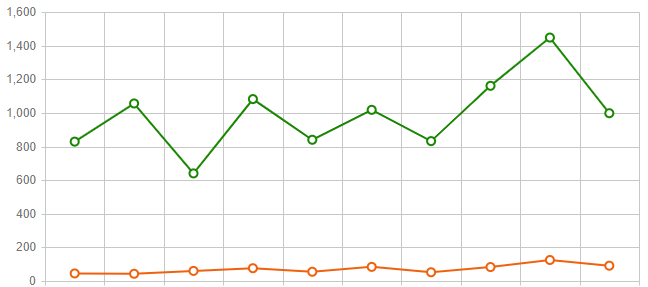
The General Data Protection Regulation (GDPR) in the European Union requires, among other things, that users’ consent should be explicit. It means a clear affirmative action by the data subject, indicating their agreement to data processing. Moreover, consent should be in the form of opt-in (no pre-ticked boxes). It may seem harsh at first glance, but in reality, based on the results of our DTC clients, if properly implemented, only 5-8% of users deny consent. It’s not a big deal, though.
Consent mode implementation errors
Although GDPR was introduced in May 2018, many e-commerce businesses still have problems with proper consent mode implementation. Some of these errors are visible at first glance, but the most serious ones are deeply rooted in analytics/marketing tools’ performance. The most common consent mode errors are:
- consent mode not blocking cookies – dummy consent banner,
- improper tracking pixel & tag configuration resulting in blocked tools,
- usage of old consent bars required by law before GDPR,

- lack of possibility to easily withdraw consent,
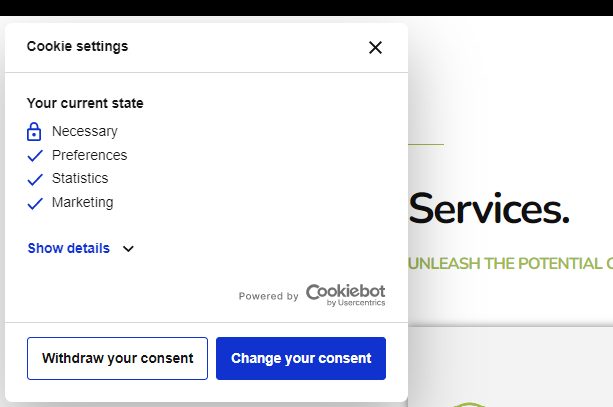
- lack of possibility to adjust consent for specific cookie types.
How to properly implement consent mode tracking?
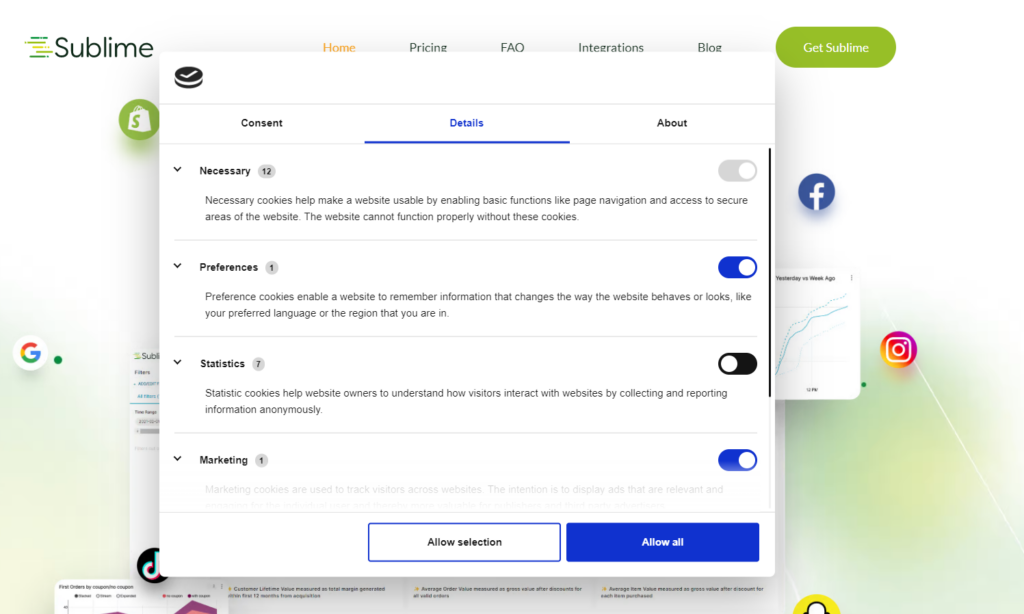
First of all, we strongly recommend using one of the consent mode management tools such as Cookiebot or CookieYes. Just as nobody builds Google Analytics from scratch, there is no point in building a consent management mechanism on our own. It’s rather difficult not only to create such logic but also to maintain and update it in the future. These tools offer free plans, and even if those plans are not sufficient, they are reasonably priced, ranging from $10 to $50.

Once we choose a consent mode management tool, we can proceed with its implementation. There are many ways to do that, but in this article, we will focus on the proper implementation of Cookiebot and Google Tag Manager (GTM) as the most common approach. We will use the Google Consent Mode logic to fire tags from GTM.
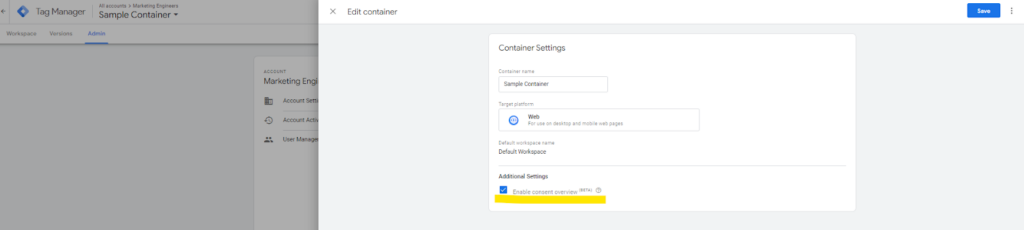
1. To enable Google Consent Mode, we need to turn it on in GTM.
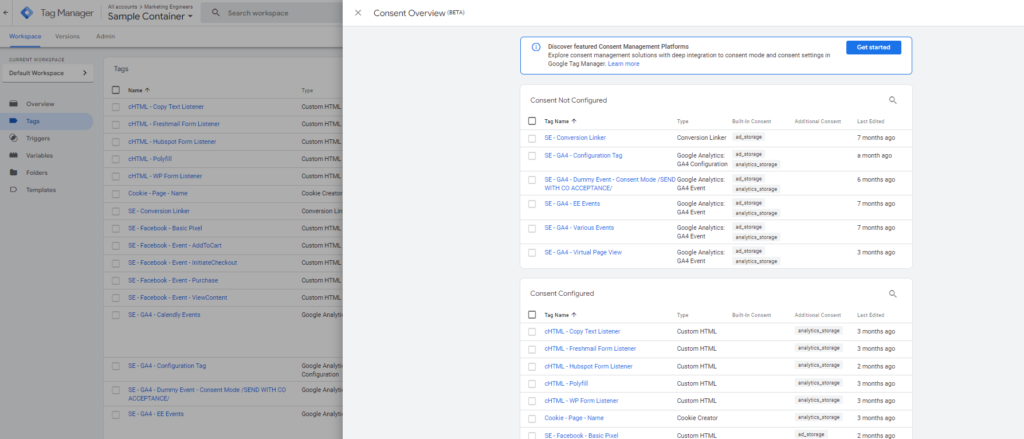
2. Next, we open a consent overview and set the logic of our tags to suit our situation and needs.
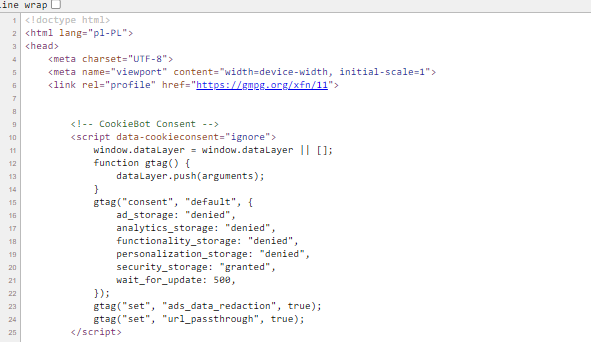
3. As the next step, we need to implement the default dataLayer push to block all types of cookies at the start. It’s recommended to do that in the source code just before the GTM script.
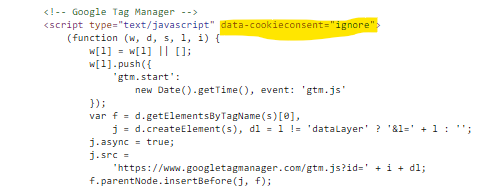
4. Next, we should add data-cookieconsent=”ignore” to our GTM script to tell Cookiebot not to block it.
5. We also need to implement a Cookiebot script. We recommend doing that in the source code.

6. The last but not least step is to configure Cookiebot and set the Google Consent Mode logic to fire our tags. By default, Cookiebot fires some events once the user interacts with our consent banner. We need to adjust it properly. Once we are ready, we should publish the changes to make them effective.
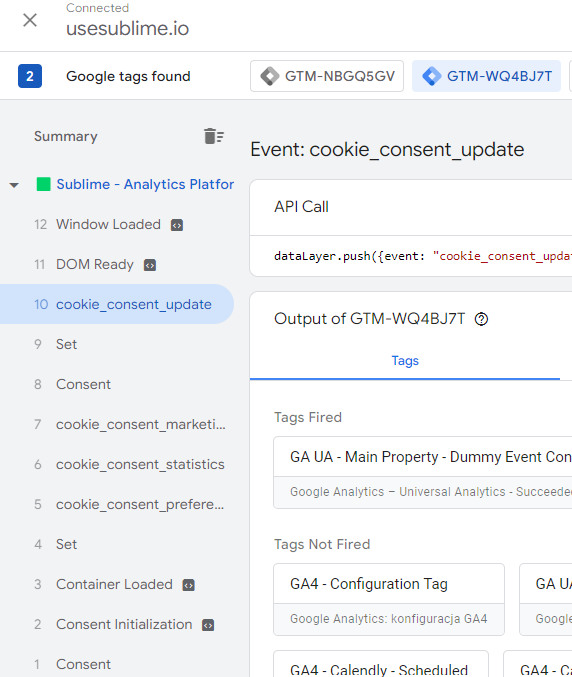
GA4 records anonymized data with no/denied consent
Although GA4 cannot fully work without granted consent, it’s good to fire some events even without consent. We recommend sending some dummy events, for instance, in your GTM tracking logic before granted consent. As a result, GA4 is able to record anonymized hits from those events and store, for example, traffic sources. You must be aware that if a user does not grant consent on the first page after entering your site, you do not have dummy event implemented and your page reloads, your traffic parameters (UTMs) are lost. You will not be able to attribute events properly to session traffic parameters.
Google optimize will not work on landing pages
You may be aware that Google will sunset Google Optimize. However, you may still be using it to test page element versions. If so, keep in mind that Google Optimize uses cookies to work. Therefore, it will not function properly on landing pages with consent mode turned on. When a user lands on a page, cookies are blocked, so the user will see the default page version. After granting consent, Google Optimize will start working, and the page will be reloaded, showing its new version. This is not the behavior we expect when starting a test.
YouTube embedded videos will not appear before consent is granted
Similarly to Google Optimize, YouTube uses cookies. Therefore, if you have embedded any YouTube video on your site with consent mode turned on, you will at first see blank spaces in place of your videos. After consent is granted, the videos will appear. However, you can manually change the links to embedded videos in the source code from https://www.youtube.com/xxx to https://www.youtube-nocookie.com/xxx to show videos to users even without consent. There is some concern about the way this method works, but currently, this is the only solution provided by Google under the ePrivacy directive.
Consent Mode is crucial not only for users as it respects their right to privacy but also for e-commerce businesses as it may lead to significant information and revenue loss. You can limit the impact on your business by properly implementing consent mode. Book your free demo today and learn how Sublime ensures compliance without compromising performance.